Prepare the source first
The print template controls layout and size. Make sure the source already meets the document rules.
Six-copy layout
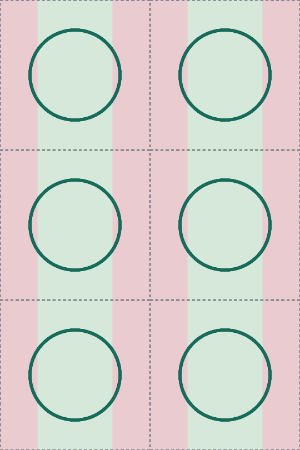
The 1200 x 1800 canvas contains six 600 x 600 copies. The template only controls the layout. It does not turn a non-compliant source photo into a compliant passport photo.
Print the template without resizing it
Select a true 4 x 6 print size and keep the entire image visible in the print preview. Auto-crop, fit-to-page and zoom-to-fill settings can change the final 2 x 2 dimensions. The main print 2x2 photo guide covers those settings and common printing errors in detail.
Paper for a U.S. passport photo
For a U.S. passport submitted with a paper form, current State Department guidance says the photo should be printed on matte or glossy photo-quality paper. It should be sharp, high resolution and free of visible printer dots.
For U.S. passport photos
Do not use software to replace or alter the background.
Use the receiving authority as the final source
Document-photo rules can change. Use this site to prepare dimensions and catch common image problems, then verify the latest requirements on the official website for the document you are submitting.
Output metadata
The downloaded JPEG carries 300 PPI metadata so compatible print software can interpret 1200 x 1800 pixels as a 4 x 6 inch image. Always verify the print preview before ordering.